



 Send Inquiry
D Link Lan Cable Tester
D Link Lan Cable Tester Specification
- Product Type
- Lan Cable Tester
- Number of Channels
- 1
- Network Connection Methods
- Wired
- Power
- Battery Operated
- Usage
- Network Cable Testing
- Led Indicator
- Yes
- Size
- Compact
- Power Supply
- 9V Battery
- Material
- Plastic
- No. of Ports/Pins
- RJ45 RJ11
- Color
- Black and Red
About D Link Lan Cable Tester
The D-Link LAN cable tester is a device used to test the continuity and connectivity of Ethernet cables. It is designed to quickly identify faults in a network cable and pinpoint their location, allowing for efficient troubleshooting and repair.The LAN cable tester consists of two components: a main unit and a remote unit. The main unit is used to test the cable from one end, while the remote unit is attached to the other end of the cable. The tester sends a signal through the cable and checks for continuity, shorts, and other issues.
Efficient Network Cable Testing
The D Link LAN Cable Tester streamlines the process of diagnosing faults and verifying connectivity in RJ45 and RJ11 cables. With its compact design, it fits effortlessly into toolkits, making it ideal for professional installers and network technicians. The LED indicator system delivers instant feedback, reducing downtime during installation and troubleshooting.
Versatile and Portable Design
Built for convenience, this LAN cable tester is lightweight and battery-operated, allowing use even in spaces without direct power sources. Its durable plastic construction ensures longevity, and the striking black and red colors make it easy to locate in your toolkit, whether on-site or in the workshop.
FAQs of D Link Lan Cable Tester:
Q: How do I use the D Link LAN Cable Tester to check my network cables?
A: To use the tester, insert the ends of your RJ45 or RJ11 cable into the corresponding ports on the device. Turn the tester on; the LED indicators will display the cables status. Interpreting the indicator lights will reveal any wiring faults or connectivity issues.Q: What types of cables can the D Link LAN Cable Tester evaluate?
A: This tester is compatible with both RJ45 (Ethernet) and RJ11 (telephone) cables, making it versatile for various wired network installations.Q: When should I use a LAN cable tester during my network installation?
A: Its best to use the LAN cable tester both before and after installation to ensure cables are correctly wired and fully operational, minimizing future connectivity problems.Q: Where can I purchase the D Link LAN Cable Tester in India?
A: You can acquire this cable tester from authorized distributors, exporters, importers, manufacturers, suppliers, and wholesalers throughout India.Q: What is the process for replacing the battery in this cable tester?
A: The tester operates on a standard 9V battery. To replace it, open the battery compartment, remove the old battery, and insert a new one, ensuring correct polarity alignment.Q: What are the benefits of using the LED indicator feature?
A: The built-in LED indicators offer immediate, easy-to-understand feedback about your cables connectivity status, speeding up the troubleshooting process and enhancing accuracy.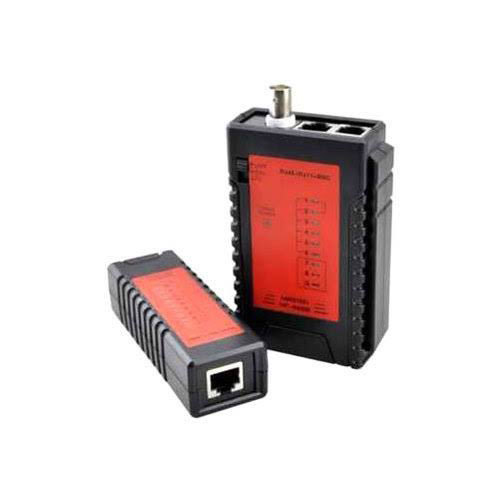
Tell us about your requirement

Price:
Quantity
Select Unit
- 50
- 100
- 200
- 250
- 500
- 1000+
Additional detail
Mobile number
Email

More Products in Networking Accessories Category
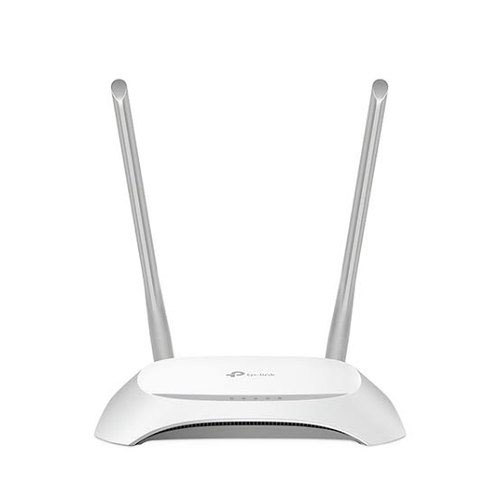
WR850n TP Link Router
Material : Plastic
Led Indicator : Other, Yes
Product Type : Router
Color : White
Usage : Other, Small Office / Home
No. of Ports/Pins : 2 LAN ports
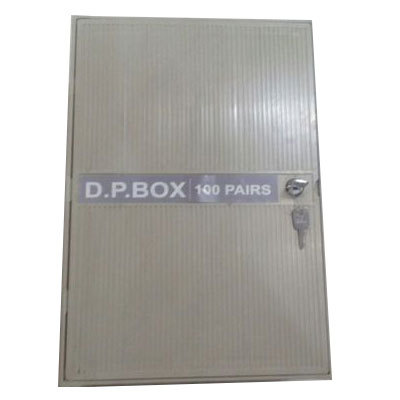
100 Pair DP Box
Material : Metal
Led Indicator : Other, No
Product Type : 100 Pair DP Box
Color : Gray
Usage : Other, Cable and wiring distribution protection
No. of Ports/Pins : 100
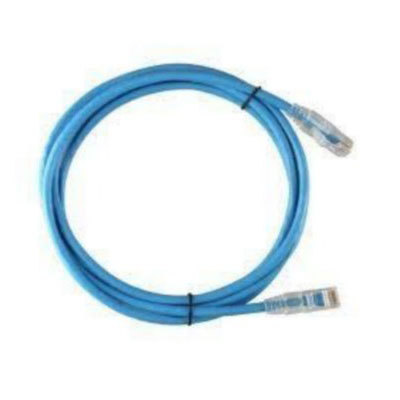
Commscope CAT 6 Patch Cord
Material : PVC
Led Indicator : Other, No
Product Type : Patch Cord
Color : Blue
Usage : Other, Networking
No. of Ports/Pins : 8P8C (8 Pins)
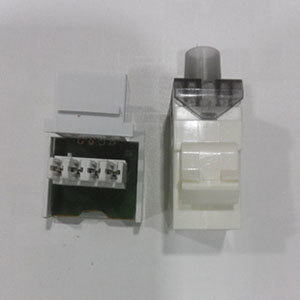
RJ11 Telephone Sockets
Material : Plastic
Led Indicator : Other, No
Product Type : Telephone Socket
Color : White
Usage : Telecommunications, Other
No. of Ports/Pins : 4pin

Quick Inquiry


Contact Details
ANU ENTERPRISES
GST : 07AAEPJ1314J1Z2
GST : 07AAEPJ1314J1Z2
Plot No.-1810, 1st Floor, Near Government School, Bhagirath Palace, Chandni Chowk, Delhi - 110006, India
Phone :08071794239
 Send Inquiry
 |
ANU ENTERPRISES
All Rights Reserved.(Terms of Use) Developed and Managed by Infocom Network Private Limited. |
